

Choose the agencies you need
Follow participating departments that are relevant to your life. A department near your home may publish different information from the department near your workplace.
Following is an information preference. It does not establish residency, a service entitlement, or a promise that every event in that area will appear.
Keep jurisdiction and participation separate
A city boundary and a police service boundary are not always the same. Some municipalities contract with a county sheriff or another agency for police services.
Use official agency information when choosing a recipient. Our directory distinguishes researched local resources from any confirmed Lucas participation.
Review your settings as your routine changes
The departments you follow should remain useful to you. Review them when you move, change jobs, or no longer need information from an area. Notification and location permissions are separate settings and may affect how a feature works.
Continue using official warning systems
Lucas complements the information channels of participating departments. Keep appropriate local and county warning subscriptions, and do not depend on one app as your only source of urgent information.
Build a feed around your actual routine
Start with the sources you would carefully check: your home community, the area around work, and a place where someone close to you lives. A manageable set of relevant departments is more useful than a long list chosen simply because it is available. Read the agency name on each update; proximity alone does not establish who is responsible.
An app feed can make those sources easier to revisit. It cannot tell you that every event has been published or that a department offers every feature. If an agency is absent, its official website remains the starting point for current warning and reporting channels.
A source preference is a useful distinction
Following answers one question: whose public information would you like to see? Location permission answers a different question about how a supported feature may use your device’s position. A tip’s recipient is another decision again. Keeping those choices separate helps you understand what you are asking the app to do.
For example, following a department near a family member does not mean you are reporting from that address. When contributing information, provide the relevant place and time, and check the selected agency. Those details give a reviewer more context than a follow preference alone.
Make a small source list
Begin with three questions: where do you live, which other places regularly affect your day, and who provides police services in each? Use the official city or county website to identify the agency. The name on a map is not always the name of the department serving an address.
For each place, keep the agency’s official information page and its local warning registration instructions. Then confirm whether that department publishes in Lucas. These sources serve related purposes, but one does not automatically include the others. A workplace may have its own internal notification process too.
Review the list when you move, change jobs or begin helping someone in another area. Removing an irrelevant followed source can make important updates easier to recognize. It does not change the official emergency warning systems available to your phone.
One feed does not mean one authority
Two departments might describe the same event from different responsibilities. One may publish a traffic notice while another leads an investigation. Keep each message attached to its issuer, publication time and any case reference.
If you have information about a request, use the recipient identified by that request or the agency’s current reporting instructions. Do not send the same account to many departments just because they appear in your feed. Repeated submissions can make it harder to understand which agency is being asked to act.
A useful personal habit is to read the full update before forwarding it. Include the original source and check whether a newer version exists. A cropped screenshot can lose the date, location or instruction that made the original understandable.
Keep warning subscriptions alongside followed agencies
Wireless Emergency Alerts are delivered through authorized alerting authorities and participating mobile carriers; they do not require following a department in an app. Local opt-in services can use different enrollment rules and contact details. Read the instructions for the actual service in your area.
An app can add a convenient place for department information, but there may be no update about a particular incident. An empty feed is not evidence that an area is safe or that nothing has happened. For current instructions, check the responsible public authority.
Our community directory helps you begin that search. It distinguishes researched local resources from a population inventory, and it does not mark a department as participating without evidence. If you cannot find a place, continue through the city, county or state’s official resources.
Vetted sources, with geography kept clear
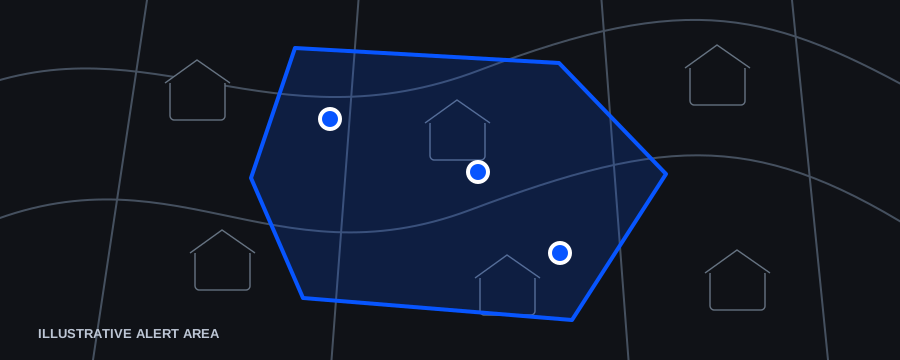
Following a department and being in the area of a geographically targeted alert answer different questions. A followed department can matter because of home or family; an alert area matters because of the situation the department has identified. Review the current release and permissions to understand how those choices work together.
Sentinel lets the issuing department choose the geographic area for a notification. Lucas is the free resident side of that exchange. Department vetting helps keep the source recognizable while each agency remains responsible for its own message and requested action.
Sources and further reading
Page reviewed October 27, 2026. External guidance explains the stated topic; it does not establish a product outcome or endorsement.